 Lightning Tracker
App Store
Using the app
How lightning alerts work: what triggers one and what it cannot do
November 19, 2026 · 4 min read
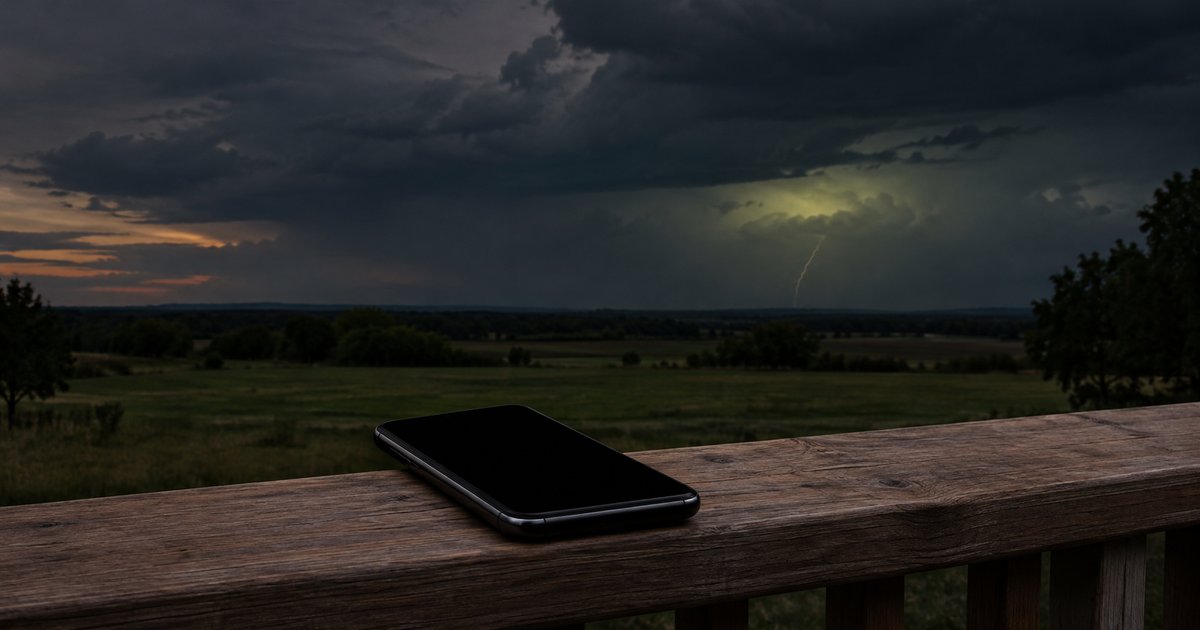
A lightning alert fires when a system reports a strike within a chosen distance of a place; it does not predict the next strike or guarantee that every strike was detected. NOAA’s National Severe Storms Laboratory explains that networks locate lightning from radio signals, and the National Weather Service says thunder itself is the cue to seek shelter.
A lightning alert starts with a detected event
NOAA’s National Severe Storms Laboratory explains that U.S. ground networks locate lightning from the radio waves its fast currents emit, comparing arrival times at several receiving stations. The network’s report is an observation of an event that has happened, not a prediction of the next flash. How lightning detection works, and why two services can plot different events, has its own page.
For a radius-based alert, the service or app then compares the reported location with the place being watched. A radius is a circle around that place, not a boundary that lightning respects. A report outside the circle does not mean a future flash cannot reach inside it. The choice of alert radius needs to account for the time it takes you to reach shelter. The National Weather Service says to move to shelter when you hear thunder; it does not tell people to wait for a phone to report a strike inside a chosen circle.
Detection and notification are separate steps
Even after a network records a stroke, data must reach the app and the app must check it. A notification can therefore lag behind the event. NOAA’s detection explanation also notes that cloud-to-ground return strokes tend to make stronger signals that are easier to detect than in-cloud strokes. Missed detections and a location estimate near the edge of a radius are reasons to read a proximity alert as a report about detected activity, not as a complete inventory of lightning.
Apple’s developer documentation says an app can schedule a local notification and iOS handles its display when the app is in the background or not running. That delivery step follows the app’s own decision to notify. Apple Support says Focus can silence selected apps, while a user may allow Time Sensitive notifications. Low Power Mode turns off Background App Refresh, according to Apple’s September 2026 support page. These settings affect the path from an app’s check to what appears on the screen; iPhone notification settings are worth checking before an outing.
Neither a fast detector nor enabled notifications turns a phone into a continuous lightning monitor. A network can miss a stroke, a feed can arrive late, and iOS can postpone background work. If the app has not checked since new observations arrived, opening it may reveal activity that did not prompt a timely banner. A silent phone cannot certify that the sky is clear.
| Step | What happens | What can delay it |
|---|---|---|
| Detection | A network reports a stroke it located | Missed strokes; a location estimate near the edge of a radius |
| App check | The app gets the data and compares the location with your place | Late data; iOS postponing background work |
| iPhone delivery | iOS shows the local notification | Focus, Low Power Mode, notification settings |
| Your reading | You decide what to do; thunder is the NWS cue to seek shelter | A silent phone cannot certify that the sky is clear |
An app alert is different from an NWS warning
The National Weather Service’s Rapid City office defines a severe thunderstorm by hail at least 1 inch across or wind at least 58 mph, and explicitly says lightning is not a criterion because all thunderstorms produce it. A proximity alert answers a narrower question: has a lightning event been detected close to a chosen point? The two messages can appear independently. The severe thunderstorm watch and warning distinction concerns official forecasts and warnings, not a radius crossing in an app.
The NWS lightning guidance tells anyone who hears thunder to move immediately to a substantial building or an enclosed, metal-topped vehicle with the windows up. It says to remain in shelter for at least 30 minutes after the last thunder. That instruction applies whether or not a phone has sounded, and the 30-minute shelter wait restarts after new thunder. A lack of an NWS severe thunderstorm warning does not cancel the thunder rule, because lightning alone does not meet the severe warning criterion.
What a Lightning Tracker alert means
Lightning Tracker, an iPhone app, alerts when it detects a strike inside a radius set for a place; the default is 10 miles (16 km), and it can alert again when strikes move noticeably closer. Its notifications follow an app check, so late data, missed strikes and iOS background limits can delay or prevent an alert. The app does not replace official warnings or local procedures.
When an alert arrives, its useful fact is that lightning was detected within the configured circle. It cannot tell you where the next flash will land. The NWS thunder rule remains the earlier cue when thunder reaches your ears before any message arrives. For an outdoor activity, identify shelter in advance rather than using the absence of a banner to decide whether to stay outside.
Not a substitute for official weather warnings.
If you hear thunder, seek shelter even if the app shows no nearby strike.
Sources
- NOAA National Severe Storms Laboratory, Lightning Detection
- National Weather Service, Lightning Tips
- National Weather Service Rapid City, Hazardous Weather Definitions
- Apple Support, Allow or Silence Notifications for a Focus on iPhone
- Apple Developer, Scheduling a Notification Locally from Your App
- Apple Support, Use Low Power Mode to Save Battery Life on Your iPhone or iPad